
VDownloader
Batch download videos and audio.
Paste a list of links, choose MP4 or MP3, pick a folder and click Download. VDownloader is a simple Windows app built around yt-dlp, with everything included in one download.
Free. Windows 10 or 11. Requires .NET Framework 4.8.1.
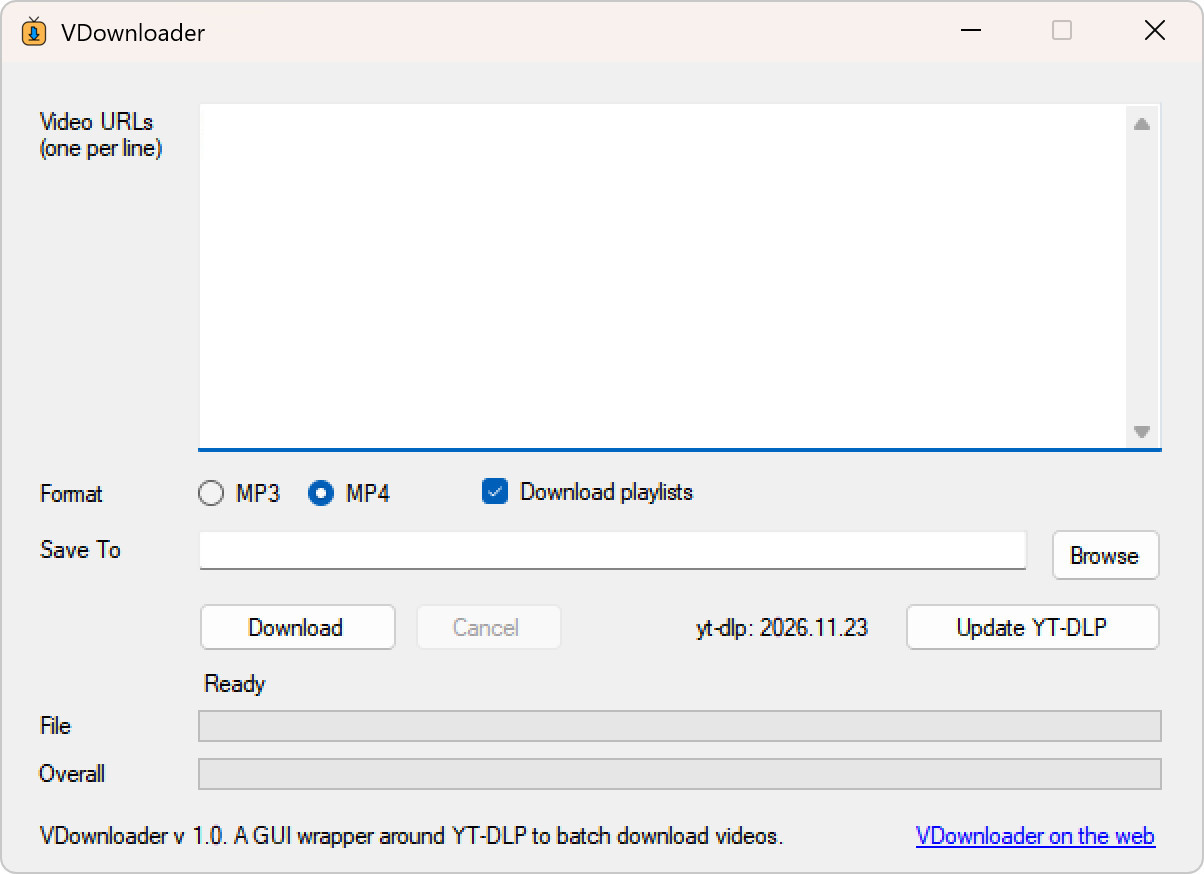
VDownloader is a Windows desktop utility for downloading many videos in one go. Put one URL per line, select your format and let it work through the whole list. Playlists are supported, and you can watch progress for the current file and for the entire batch.
yt-dlp and FFmpeg are bundled in the zip, so there is nothing else to install or configure.
Features
How to Install
- Download VDownloader.zip.
- Extract the zip to any folder.
- Run VDownloader.exe.
There is no installer. If Windows SmartScreen shows a warning, click More info and then Run anyway.
System Requirements
Operating System: Windows 10 or Windows 11
Framework: .NET Framework 4.8.1 (already included in recent versions of Windows 11; otherwise a free download from Microsoft)
Internet: Required for downloading videos and updating yt-dlp
Please use responsibly. VDownloader is a tool for downloading content you have the right to save, such as your own uploads, public domain or Creative Commons material, or content you have permission to download. Downloading copyrighted material without permission may violate copyright law and the terms of service of the sites involved. VDownloader is only a graphical wrapper around the independent open-source tools yt-dlp and FFmpeg. It is not affiliated with or endorsed by yt-dlp, FFmpeg or any website, and all downloading is performed by those tools. You are solely responsible for how you use this software. It is provided "as is" without warranty of any kind, and the author accepts no liability for any use or misuse of it.
FAQ
What is VDownloader?
VDownloader is a Windows application and a GUI wrapper around yt-dlp that lets you batch download videos and audio from a list of URLs, without using the command line.
Do I need to install yt-dlp or FFmpeg?
No. Both are included in the zip. Just extract it and run VDownloader.exe.
Which sites does it work with?
VDownloader uses yt-dlp, which supports a large number of video and audio sites. Support for any particular site depends on yt-dlp.
A download stopped working. What should I do?
Sites change often. Click Update YT-DLP in the app to get the latest version, then try again. This fixes most problems.
Is VDownloader free?
Yes, it is free to use.